Your glucose, live —
and 90 minutes ahead.
SangraMate turns your CGM sensor into a real-time copilot. Live readings on every screen you own, alarms that see lows and highs coming, logging that takes seconds, and an AI that explains your days.
One day with SangraMate.
Watch it warn you before a low, log a meal in seconds, and sum up your last two weeks.
SMART ALARMS
07:42. Nothing is happening.
The app says two words and gets out of the way. Your food and insulin are already on screen, still counting down.
08:05. Six minutes of warning.
It reads the trend, the insulin still working and the carbs still landing, and tells you how long you have.
08:14. It fires.
This is the one moment the app raises its voice. The pill turns solid, and the alarm goes out.
Why it fired, in one screen.
Tap the pill and it shows its reasoning: where you're heading, and why. Insulin on board raises the low alarm; carbs offset the drop.
SMART ALARMS · CARE CIRCLE
Two phones. One alarm.
Whoever follows you gets the same alarm at the same second — same reading, same verdict. Only the name changes.
Your settings decide whether their iPhone is allowed to break silent mode.
SANGRAMATE
LOGGING
One button, one basket.
Add a meal, a session and two doses, then log them in one go. Only the row marked AI ever guesses for you.
Most of what you eat, you've eaten before.
So Food opens on your recent foods — carbs on the right, when you last had it underneath.
Or a meal you already built.
Save a meal once — two or more foods, one name, their own totals. The breakfast you eat every week becomes one tap.
A photo, and the card fills itself.
Carbs, portion, GI and macros, read off the picture — every number editable. Change the portion and the macros follow.
Or just say it.
Talk for up to thirty seconds and the same card comes back filled. Meals and sessions only — doses are always typed.
Activity, in one sentence.
Say what you did and it fills in the activity, how hard and how long. It matters later: sessions move your alarm.
REMINDERS
Late for breakfast? It asks once.
Turn a reminder on and it learns when you usually eat. When you're later than you chose, it asks once — and only you.
SANGRAMATETap it, and you are already there.
It opens straight on Food. Pick what you ate and it comes back filled, ready to add.
In your forecast now.
28 g on board with four hours to run — and your next alarm already counts it.
IMPACT
What this meal usually does.
Not a forecast — a memory. Nine measured logs of this meal: up for about an hour, then down past where you began.
Up for an hour. Then under.
The app gives three numbers: the start, the peak and when, and three hours on. The line between them is our drawing, not the app's screen.
And what the session actually did.
Glucose fell only 0.2 across the session, because food was pushing up. The session's own share was 1.6 — the app separates the two.
And when it won't.
Six logs of this meal, only two measured cleanly. So no average — the app says so instead of guessing.
You walked. Your alarm moved.
While a session is still working, your low alarm moves up — 4.4 instead of your 3.9. So it fired at 4.3.
SANGRAMATEREPORTS
Nothing from today is missing.
Every dose, meal and walk in the order they happened — and every time you left your range. The 08:14 low is here.
07:00. It has read your fortnight.
Fourteen days, read for the pattern: when the lows happen, how often, and what came before them. Then yesterday in four numbers. Not medical advice — and it says so.
Evenings are where the lows sit: glucose went under 3.9 mmol/L on 6 of the last 14 evenings, around 3.6 mmol/L.
Three of the four midday lows, between 12:00 and 15:00, followed a session earlier that day.
One tap to the day it means.
View full report opens the day the briefing was about — the same numbers over the whole trace, with everything you logged on it.
A month of what went in.
Insulin and carbs per day against your last month, then everything else. Averages, not verdicts — and it tells you when too few days were logged.
And every record underneath it.
Tuesday's ten records in one list, newest first — the same list from History or from Today's log.
WEB
The long view, on a bigger screen.
Open app.sangramate.com on any laptop: your last reading, time in range, your typical day, and the fortnight in plain words.
The fortnight, side by side.
Two weeks beside the two before, scored against the consensus range.
Every time you went out of range.
Fifty-one in a fortnight, each with what you logged in the six hours before — food, doses, what was on board, whether you moved.
Open one, and it shows its working.
Five minutes below 3.9, lowest 3.6. What was on board, the slope at the start — and that the alarm fired and you never opened it.
And where it got it wrong.
It forecast 8.0. You reached 10.0, and no alarm came. The report shows both numbers — a forecast you can't check isn't a forecast.
The same card, inside the morning.
Open the meal inside the episode and breakfast's usual shape is there again — the median of its nine measured logs.
Two plans. Nothing hidden.
Prices are shown in the App Store and on Google Play, with regional pricing and monthly or annual billing. Followers never pay.
Basic
AI Assistant
7-DAY FREE TRIALBuilt close to the condition.
SangraMate is made in Sydney by a founder living with type 1, with an endocrinologist advising from day one.

Volodymyr Katanskyi
FOUNDER & CEOLiving with type 1 for 6+ years, he builds what he uses every day.

Dr. Timothy Middleton
ENDOCRINOLOGIST & CLINICAL ADVISORKeeps the product honest about what the data can and can't say.
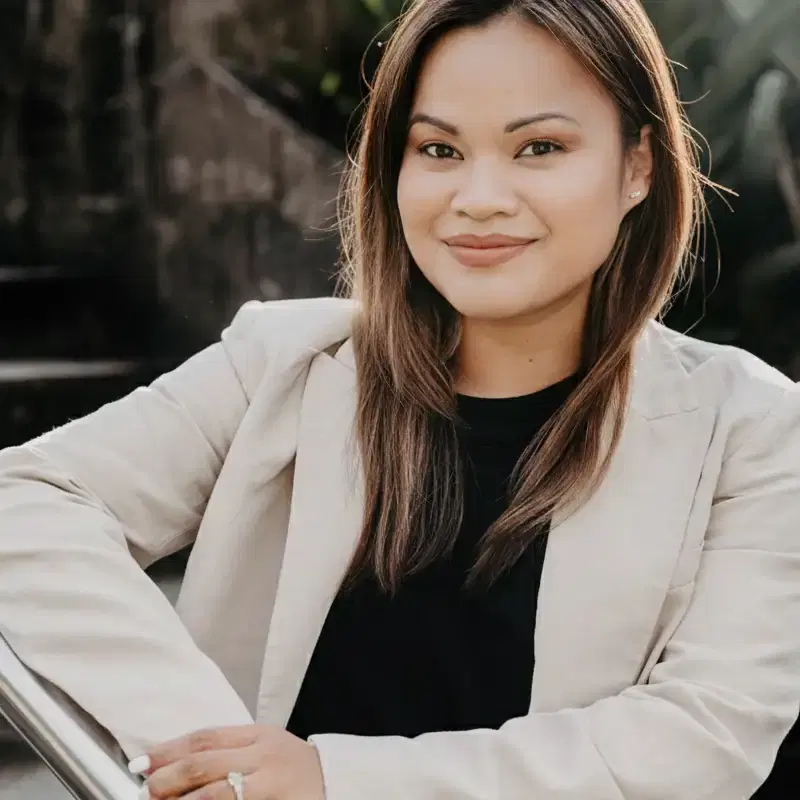
Sheena Burce
CO-FOUNDER · BUSINESS DEVELOPMENTConnects SangraMate with clinics and the community.
“Consistent, high-quality data helps clinicians make better decisions. Tools like SangraMate can transform how we monitor and support people living with diabetes.”
DR. TIMOTHY MIDDLETON · ENDOCRINOLOGIST & CLINICAL ADVISOR

Meal photos, gone on delete
Photos are removed the moment you delete or re-log the entry.
Voice isn't kept
Audio is used to transcribe your log, then discarded. Only the text is saved.
Sharing stays yours
Add or remove followers and clinic access anytime.
Not a medical device
SangraMate shows and explains. Decisions stay with you and your care team.
ROADMAP
We just started.
NEXT · Q4
- Dexcom support
- Sleep and hydration data
- Cycle-aware insights
- Marking sick days
- Apple Watch and Garmin
- Multi-language support
EXPLORING
- Anonymized leaderboards
- Achievements
- Regional health competition with rewards
- Bloodwork and labs, with an organ-health roadmap
Answers up front.
Which sensors does it work with?
FreeStyle Libre 2, 2 Plus, 3 and 3 Plus, connected through your existing LibreLinkUp account. No extra hardware.
Can a phone app check blood sugar without a CGM?
No — and be wary of any app that claims otherwise. A phone has no way to measure glucose by itself. SangraMate shows the readings from a FreeStyle Libre sensor you are already wearing, delivered through your LibreLinkUp account. No sensor, no readings.
What is a CGM app?
A companion app for a continuous glucose monitor: the sensor measures, the app is where you read it. SangraMate is that app for FreeStyle Libre — it takes the readings your sensor already produces and adds forecasting, alarms, fast logging and reports on top.
Where is SangraMate available?
Anywhere LibreLinkUp operates — check Abbott's LibreLinkUp country list for your region. SangraMate is on the App Store and Google Play.
Is there an Android app?
Yes. Same core as iPhone: live glucose, smart alarms, photo and voice logging, daily briefings and the AI assistant, with Health Connect in place of Apple Health. Lock Screen widgets, the Dynamic Island and Siri stay iPhone-only.
How does SangraMate decide when to alarm?
Every new reading is projected about 90 minutes ahead against your own goal range, and the alarm bounds move with your context: insulin on board lifts the low bound, carbs on board offset a drop, and the overnight and dawn windows tighten things because glucose tends to drift then. The app shows which of those is nudging your bounds right now, and says so when a forecast is only a low-confidence estimate.
What happens if readings stop arriving?
A signal-loss alarm tells you when no glucose update has arrived for more than five minutes, so a gap in the data never passes for a steady line.
Does SangraMate track activity?
Yes. Log a session with its type, duration and intensity and SangraMate shows what it did to your glucose, separating the share that came from the activity itself from the share that came from food and insulin. Sessions that tend to keep pulling glucose down for hours afterwards are called out, because that often lands overnight.
Does it show what a meal does to my glucose?
It shows what usually happens after it, once you've logged the same meal at least four times with clean readings: the usual rise, how long the climb lasts, and where you tend to land a few hours later. That's the meal with its dose and timing, never the meal on its own — and it comes from your own readings, not a food table.
Can SangraMate remind me to log?
Yes, and it learns your routine rather than nagging on a timer. It can flag a rapid dose with no meal logged, a meal with no rapid dose, and a basal that has run out — and it picks up the habits you actually keep, so it only asks when you break one.
What does SangraMate write to Apple Health and Health Connect?
Only what you switch on, and only outwards. On iPhone it writes glucose readings, insulin doses tagged basal or bolus, and the carbohydrates from your meals. On Android it writes glucose and carbohydrates only, because Health Connect has no record type for insulin. SangraMate never reads anything back out, and it only ever writes — removing records again is yours to do.
Do my followers have to pay?
No. Followers download SangraMate free and get live glucose on their own phone, with Lock Screen widgets on iPhone.
Is there a free trial?
Yes. 7 days of the AI Assistant plan, including 25 AI chats and 10 photo meal analyses. Billing is handled by the App Store on iPhone and Google Play on Android, cancel anytime.
When do briefings arrive?
The daily briefing lands around 7:00 in your local time zone, covering the day just finished. On Mondays a weekly briefing takes its place.
Does SangraMate give medical advice?
No. It shows your data, forecasts and patterns for information only — it never makes treatment decisions. Those stay with you and your care team.